Proxmox Image Template Updates
Background
There are two bash scripts proxmox-create-debian-cloud-template.sh and proxmox-create-ubuntu-cloud-template.sh that automatically pull the latest cloud image for Debian 12 or Ubuntu 22.04 and prepare them for templates. These scripts are maintained in the Github repository https://github.com/davosian/siebensprung-proxmox-templates and are located on the [[Proxmox]] nodes inside the [[Ceph]] shared directory /mnt/pve/cephfs.
You can find these images inside [[Proxmox]] on one of the nodes:
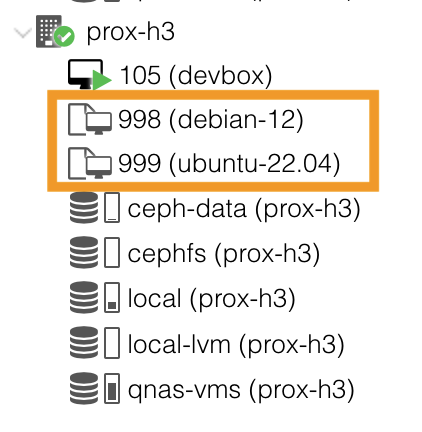
For the scripts to work, the key devkey.pub needs to reside in /mnt/pve/cephfs/. This key is used to configure SSH access to the newly created machines from the Proxmox devbox. You can find the key SSH Proxmox inside of 1Password.
Updating images
Note: the scripts below fail if the template does not already exist. If this is the case, comment out the following section inside the script:
# delete existing VM
qm destroy $VMID
sleep 10
Debian
You can update the existing [[Debian]] 12 template as follows:
# navigate to the /root directory
cd ~

# update the template
/mnt/pve/cephfs/proxmox-create-debian-cloud-template.sh
Ubuntu
You can update the existing [[Ubuntu]] 22.04 template as follows:
# navigate to the /root directory
cd ~

# update the template
/mnt/pve/cephfs/proxmox-create-ubuntu-cloud-template.sh