QNAP NAS
Web Interface: http://192.168.1.12:8080/cgi-bin/
Hardware
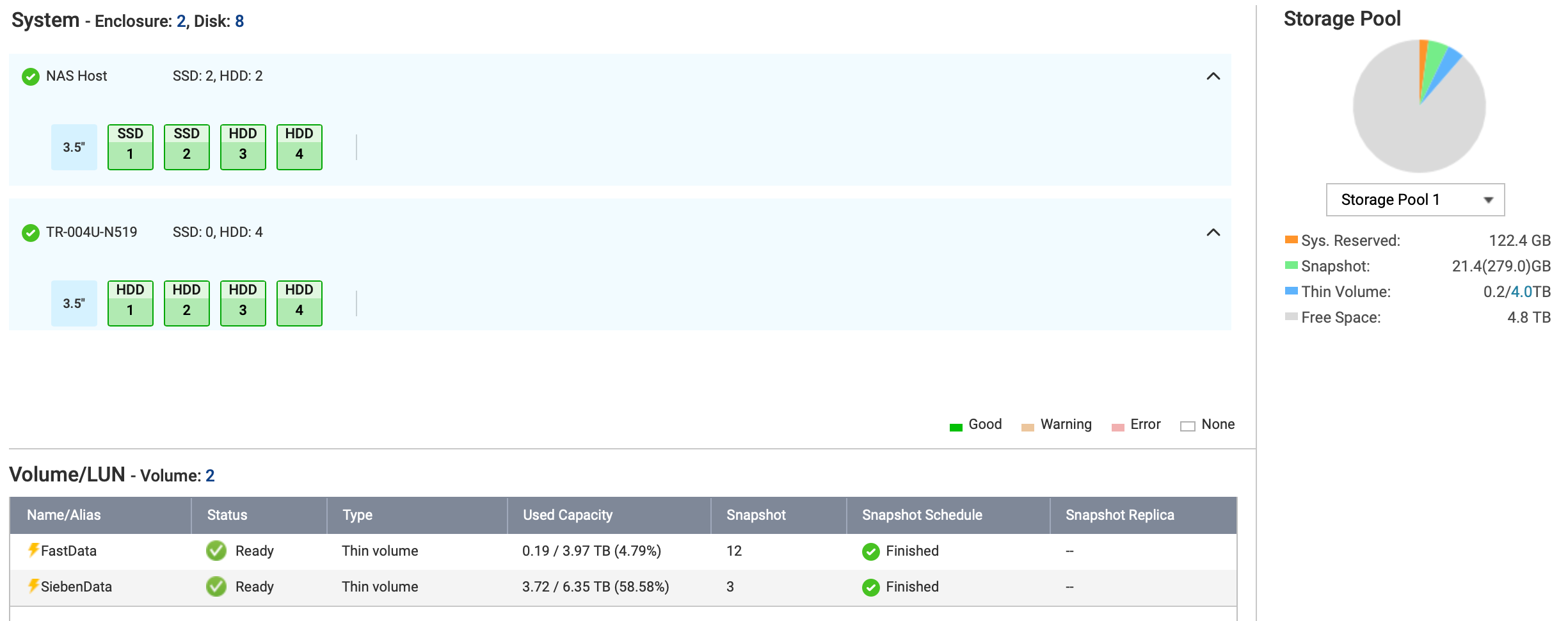
Main NAS: TS-431XeU
- Disk 1: WDC WD30EFRX-68EUZN0 (3 TB)
- Disk 2: WDC WD30EFRX-68EUZN0 (3 TB)
- Disk 3: Seagate ST6000VN0033-2EE110 (6 TB)
- Disk 4: Seagate ST6000VN0033-2EE110 (6 TB)
Storage Enclosure: TR-004U-N519 (4 disks, attached via USB 3)
- Disk 1: Seagate ST4000VN008-2DR166 (4 TB)
- Disk 2: Seagate ST4000VN008-2DR166 (4 TB)
- Disk 3: Seagate ST4000VN008-2DR166 (4 TB)
- Disk 4: Seagate ST4000VN008-2DR166 (4 TB)
Storage
Hardware RAIDs
Main: handled on storage pool level Enclosure: RAID 5 (HDD 1 - 3, hot spare: HDD 4)
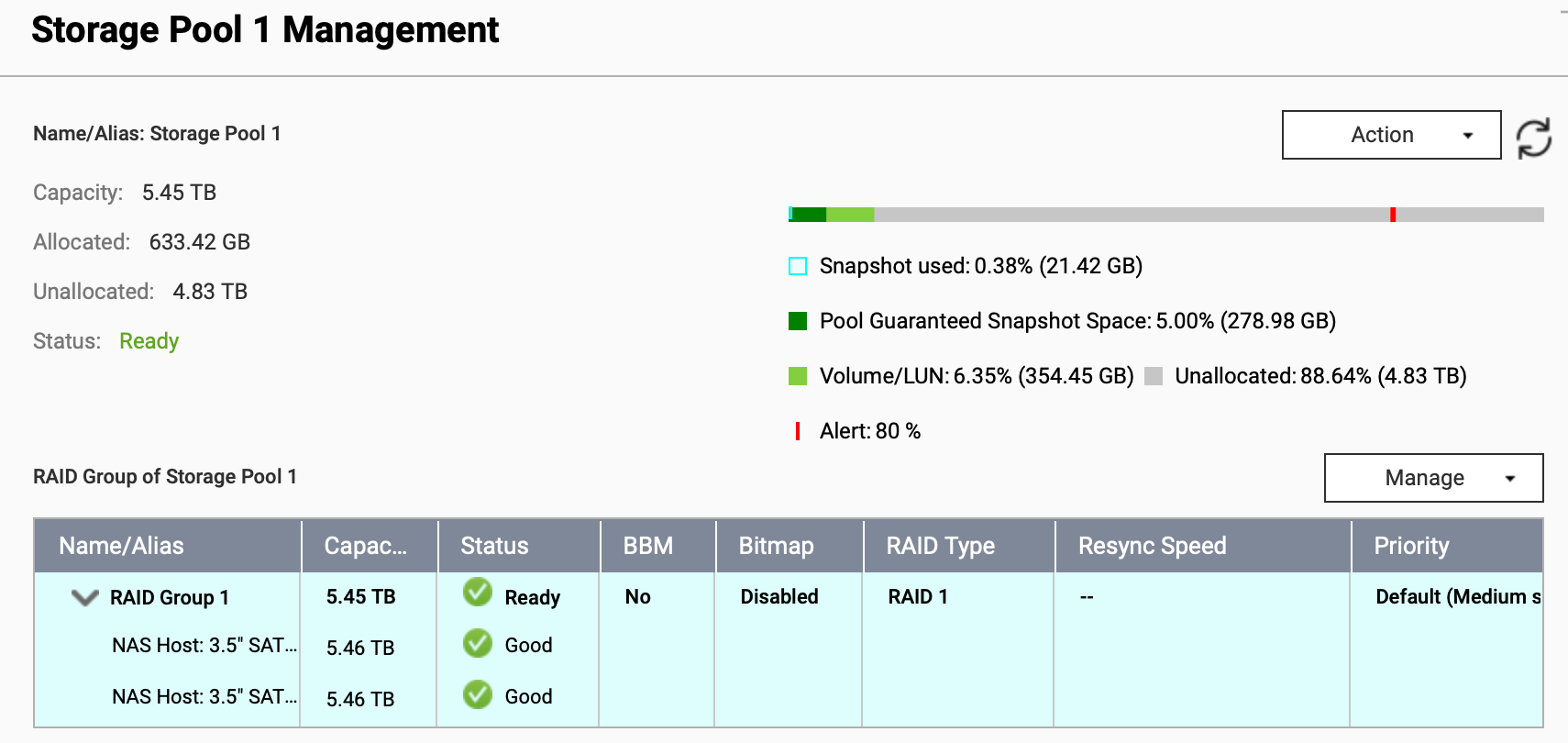
Storage Pool 1
Capacity: 5.45 TB Guaranteed snapshot space: 5% (278 GB) Unallocated space: 4.82 TB
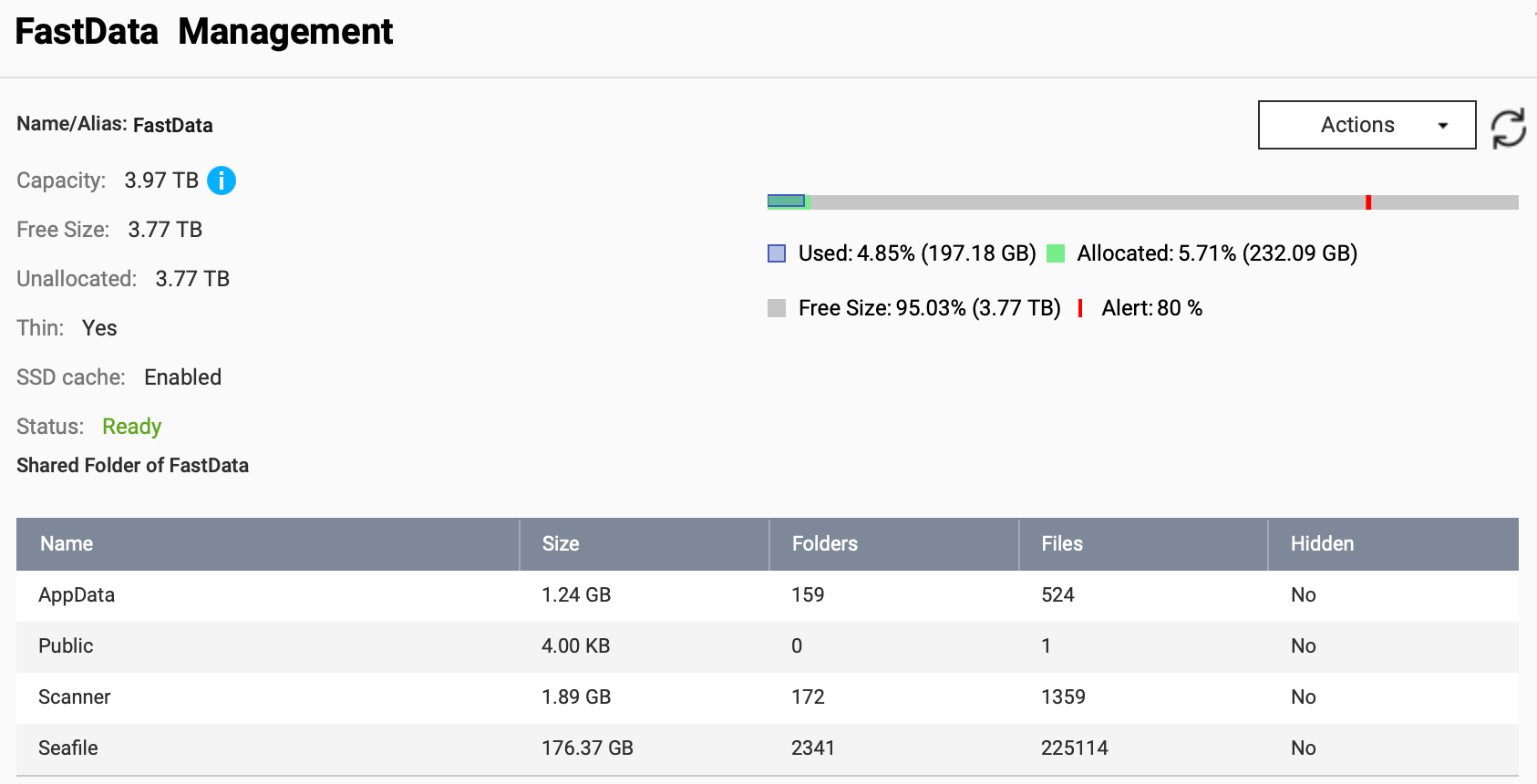
FastData
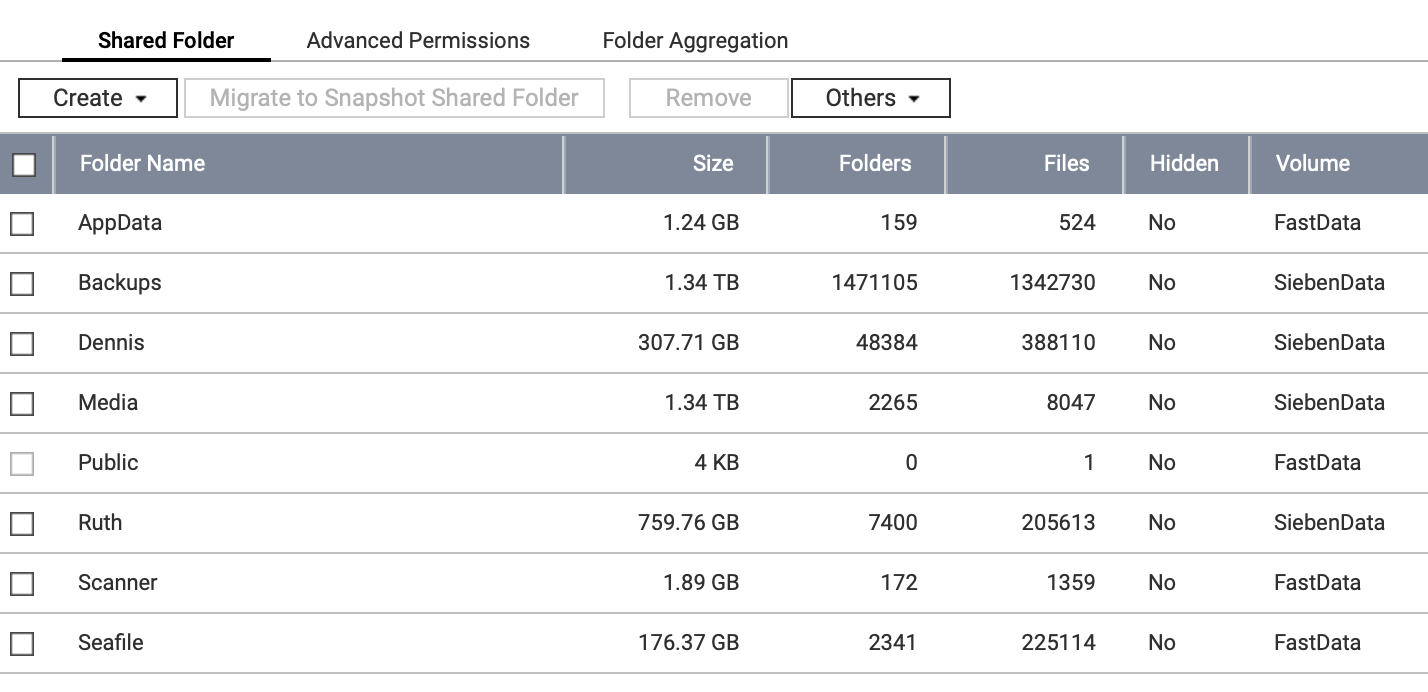
Capacity: 5.45 TB Storage Pool RAID: 1 (HDD 3 + 4), RAID Group 1 Provisioning: thin (1 TB currently unallocated) Snapshots: daily at 1am Folder Shares: AppData, Public, Scanner, Seafile
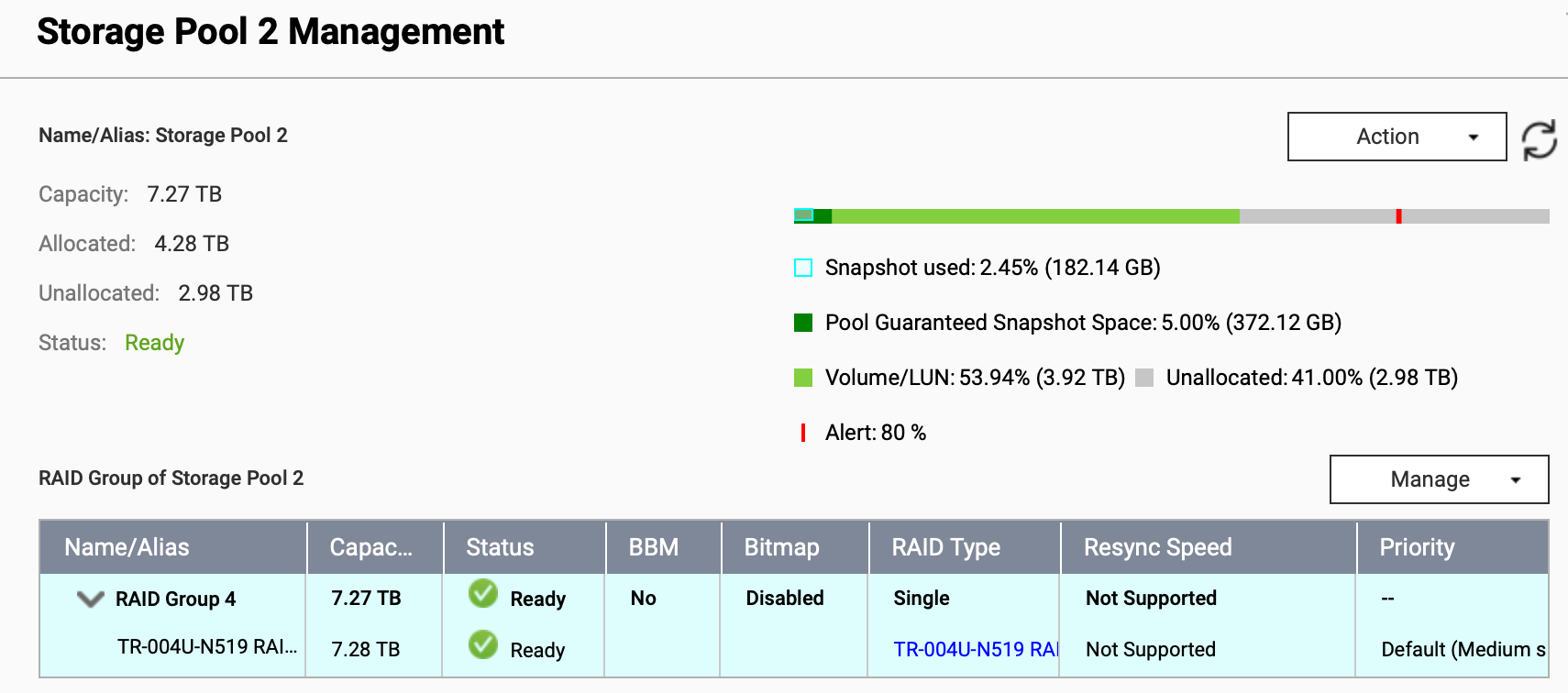
Storage Pool 2
Capacity: 7.27 TB Guaranteed snapshot space: 5% (372 GB) Unallocated space: 2.81 TB
SiebenData
Capacity: 6.35 TB Storage Pool RAID: single (only option for external enclosure), TR-004U-N519 RAID group 1 Provisioning: thin (375 GB currently unallocated) Snapshots: daily at 2am Folder Shares: Backups, Media/Audiobooks, Media/Books, Media/Music, Media/Music Ruth, Dennis, Ruth
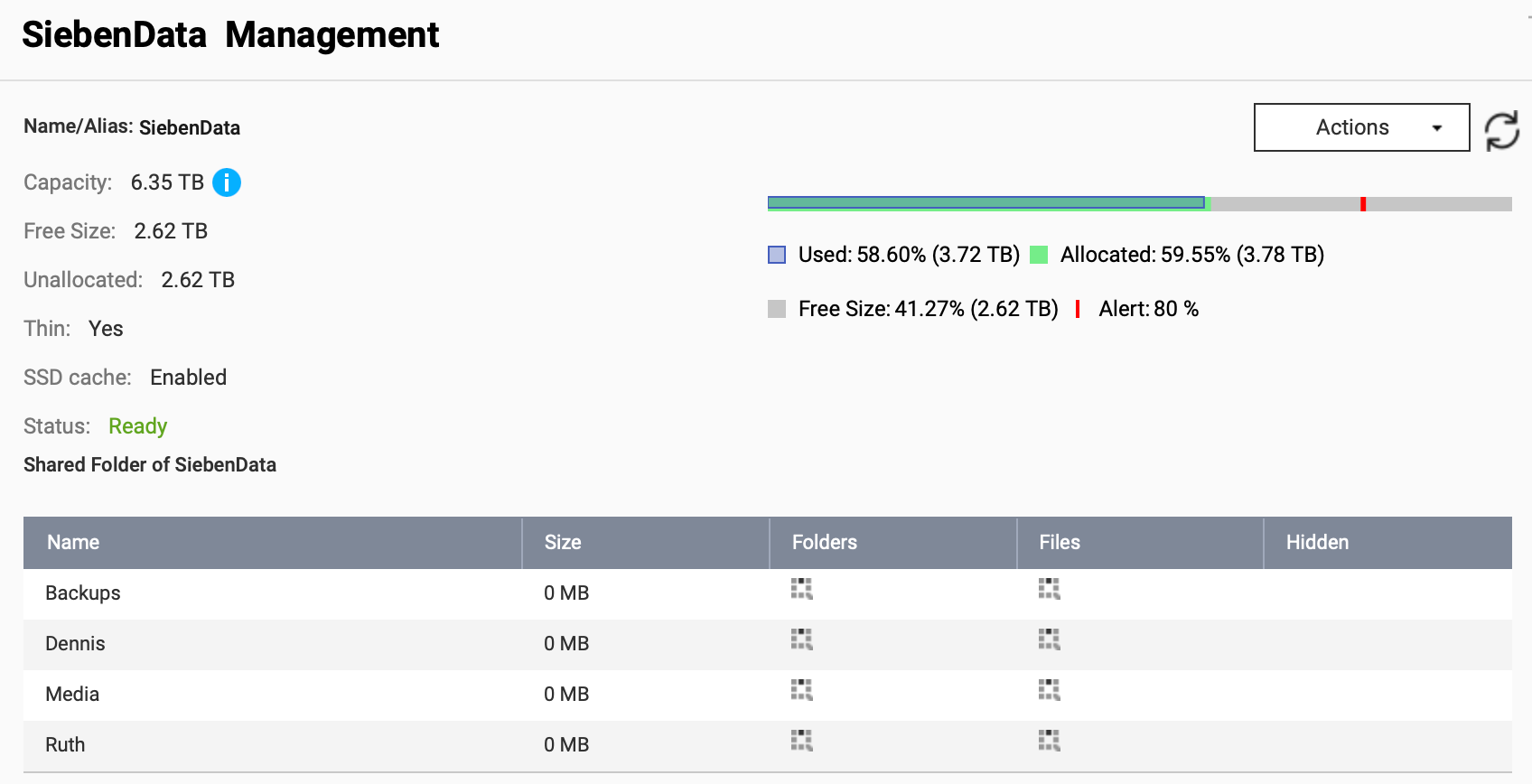
Storage Pool 3
Capacity: 433 GB Guaranteed snapshot space: 20% (86 GB) Unallocated space: 273 GB
This pool is fast SSD storage. However, it is currently only used to house the backup application.
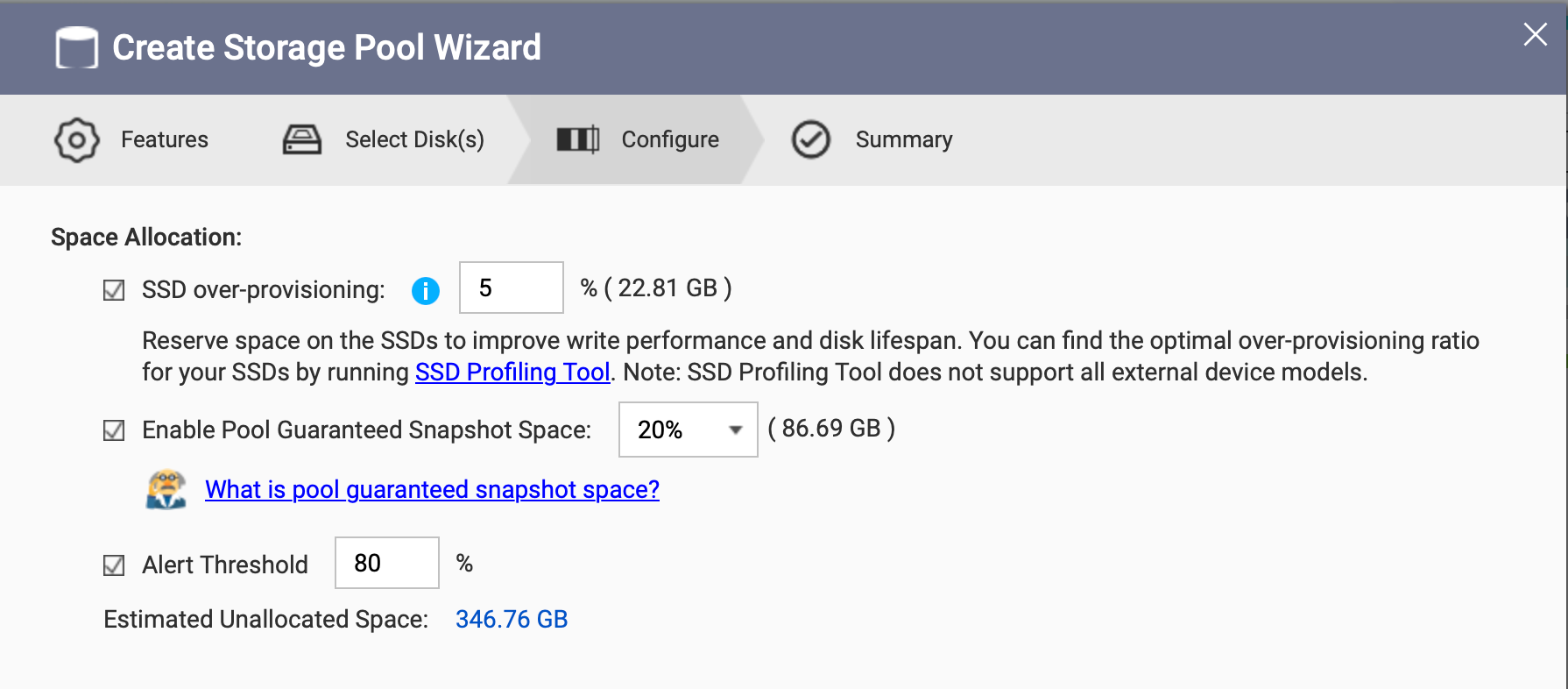
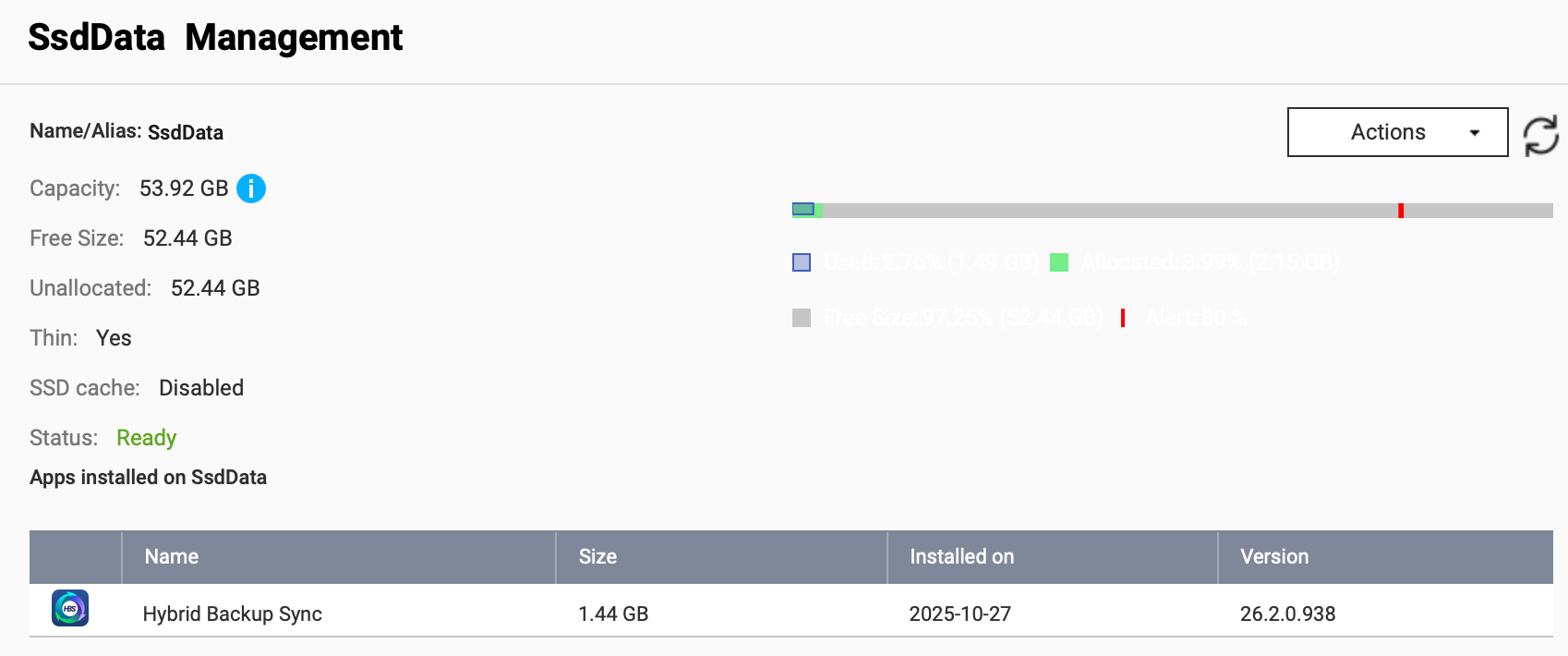
SsdData
Capacity: 53.92 GB Storage Pool RAID: single (one disk only) Provisioning: thin (220 GB currently unallocated) Snapshots: daily at 1:30am Folder Shares: none Installed applications: HBS 3 Hybrid Backup Sync
Acceleration Cache
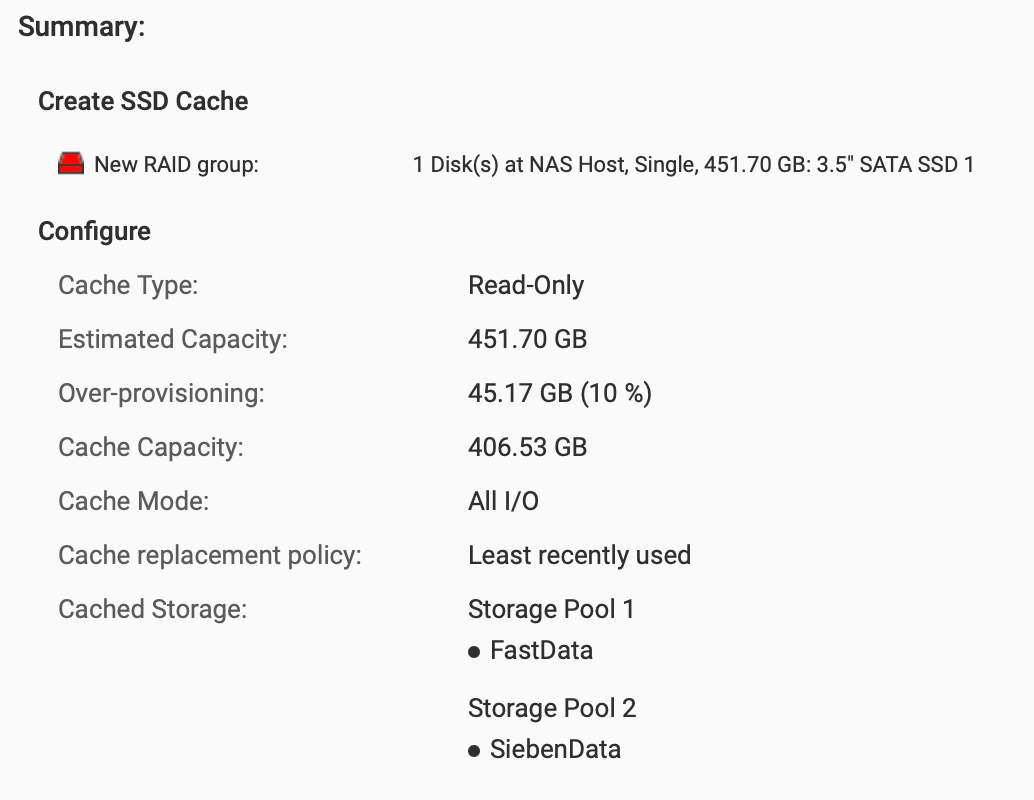
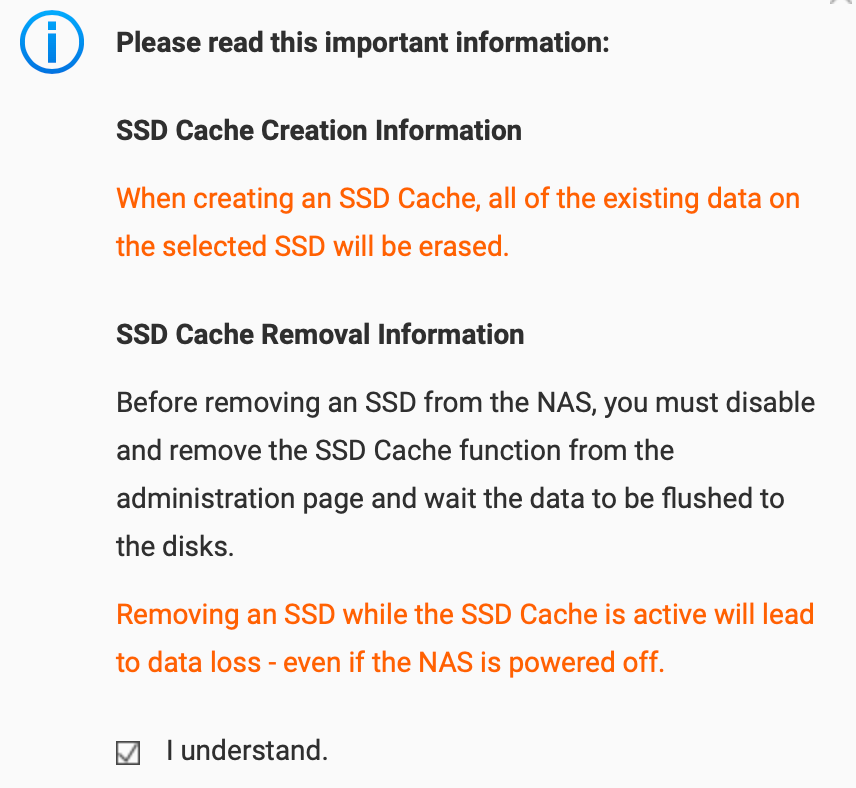
Disk 1 set up as read-only cache (10% over provisioning) for both non-SSD storage pools. Cache mode All I/O optimizes for file shares, not for VMs and databases.
The following warning most likely only applies to write-caches as the read-only cache data is redundant to the data stored on the HDDs.
Folder Shares
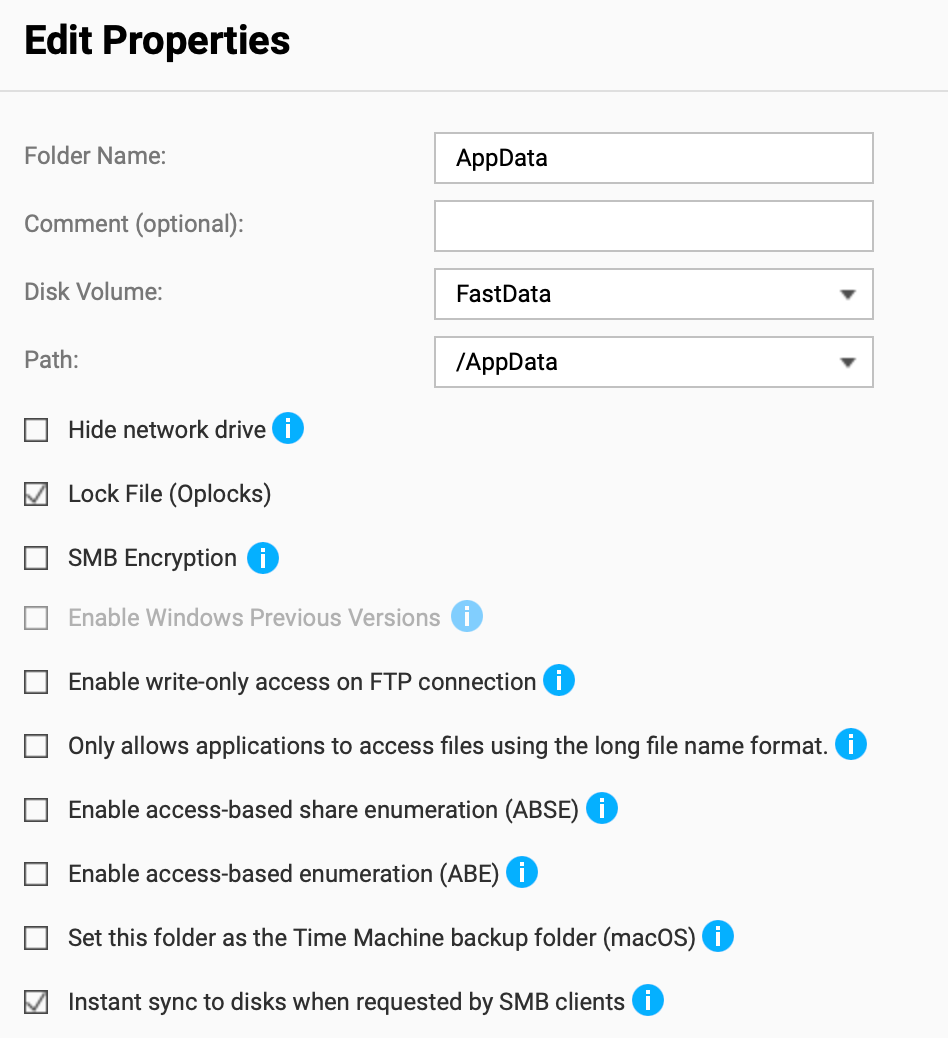
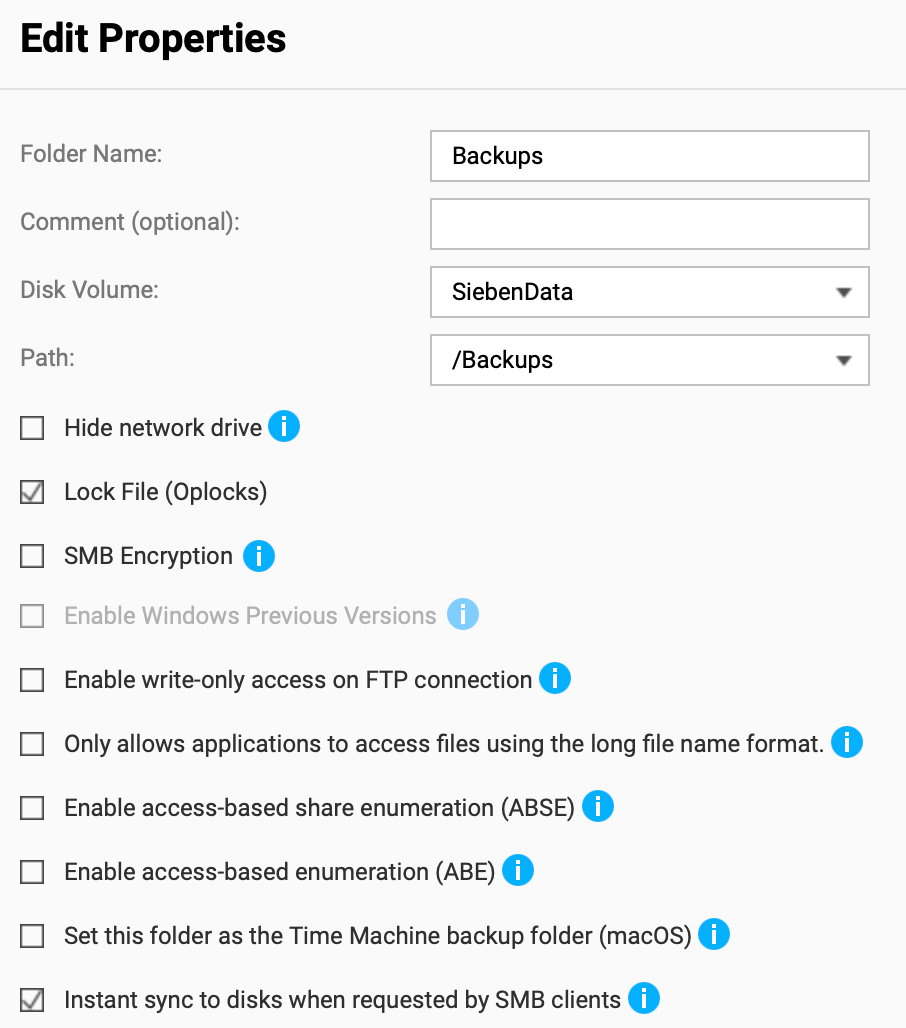
Share Configurations
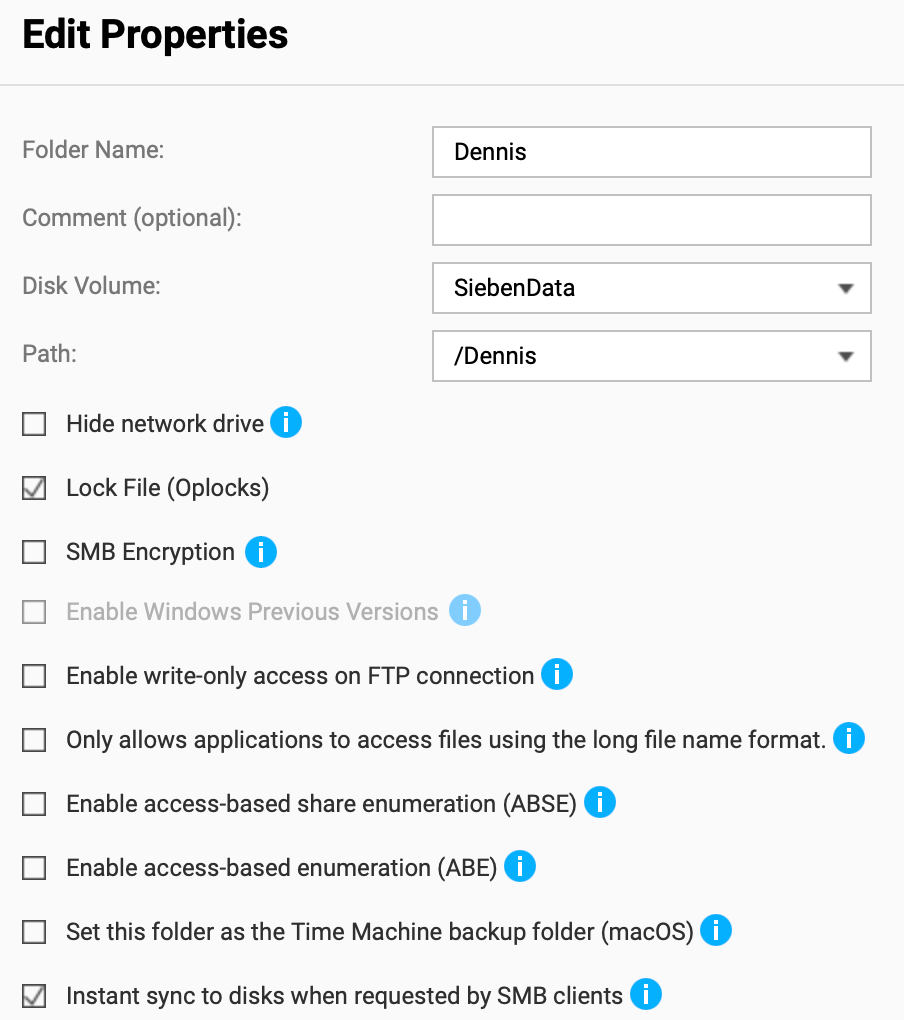
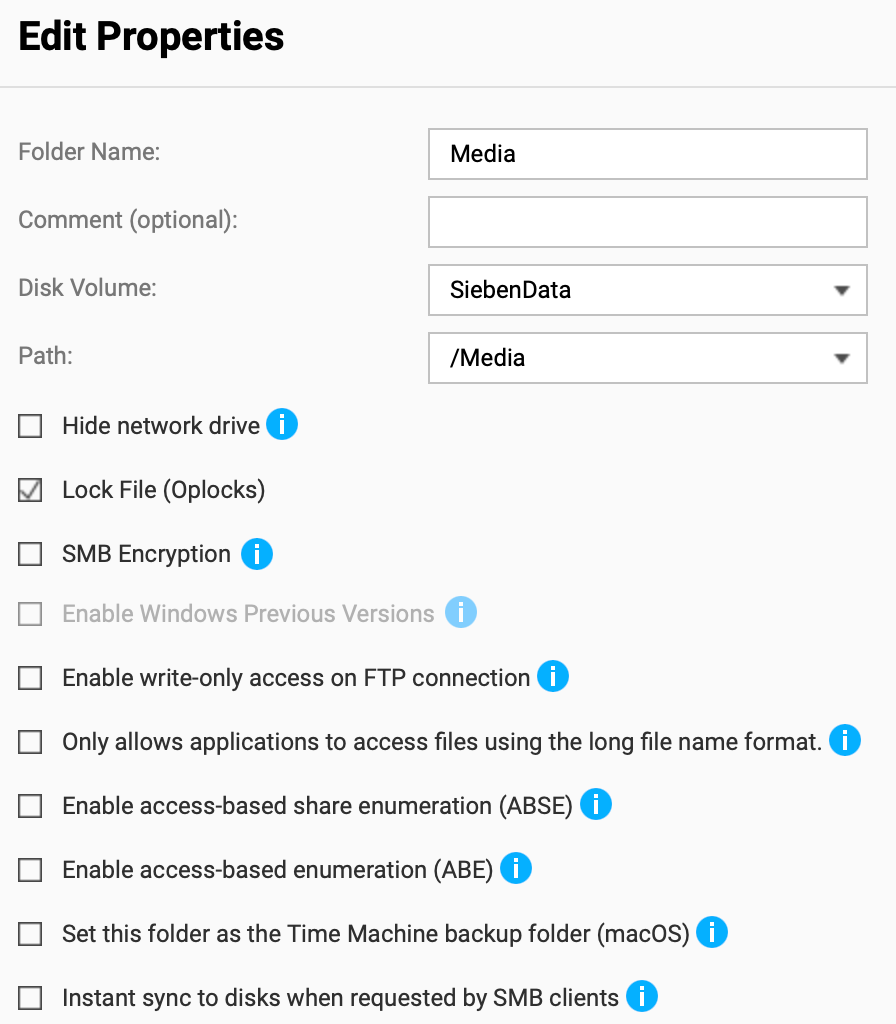
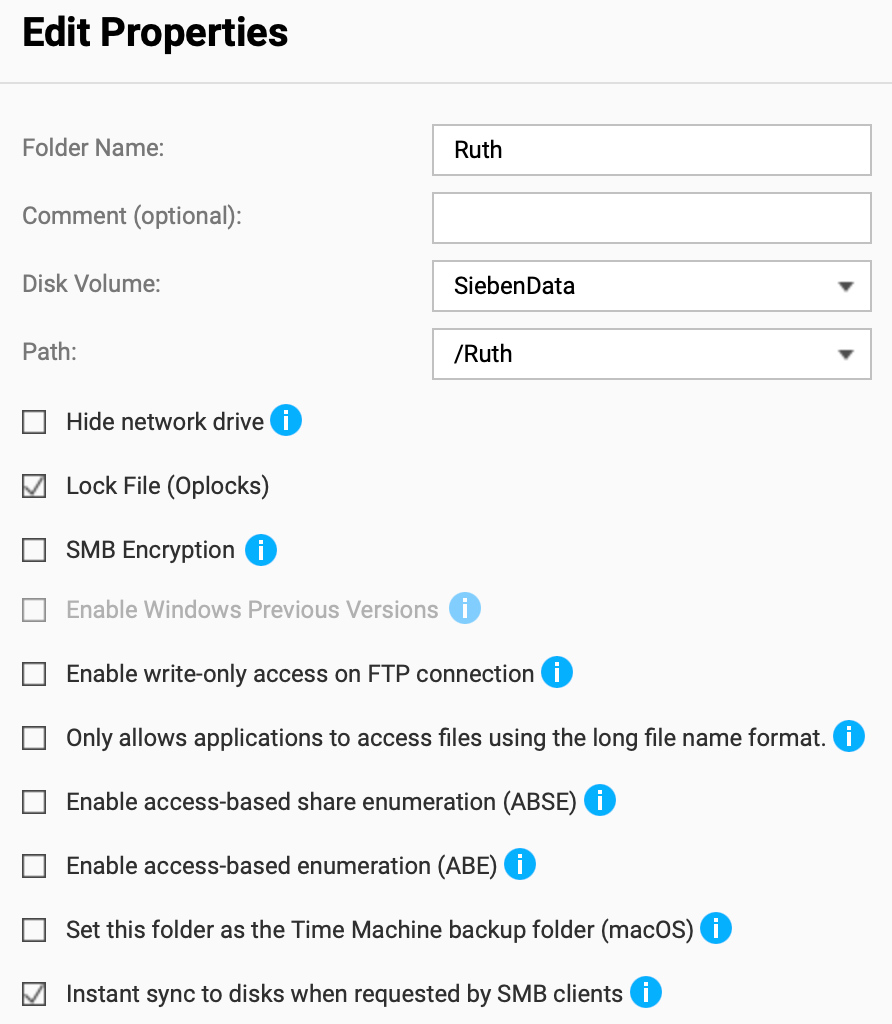
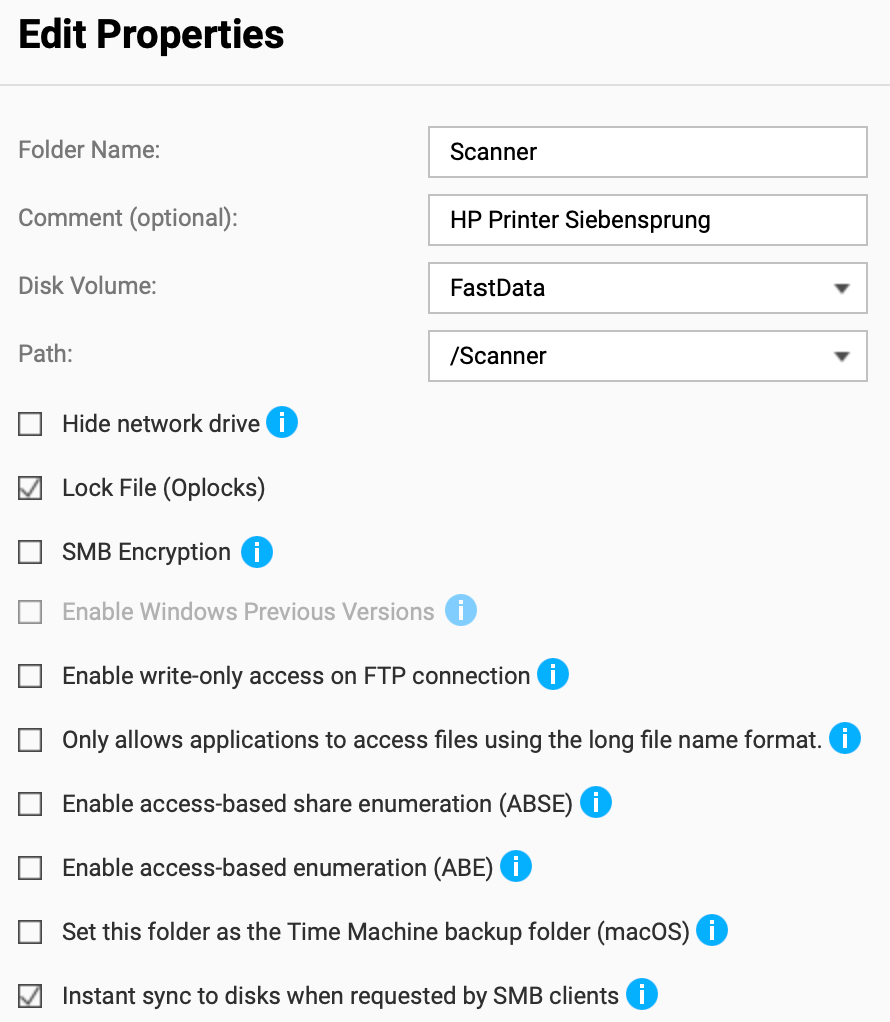
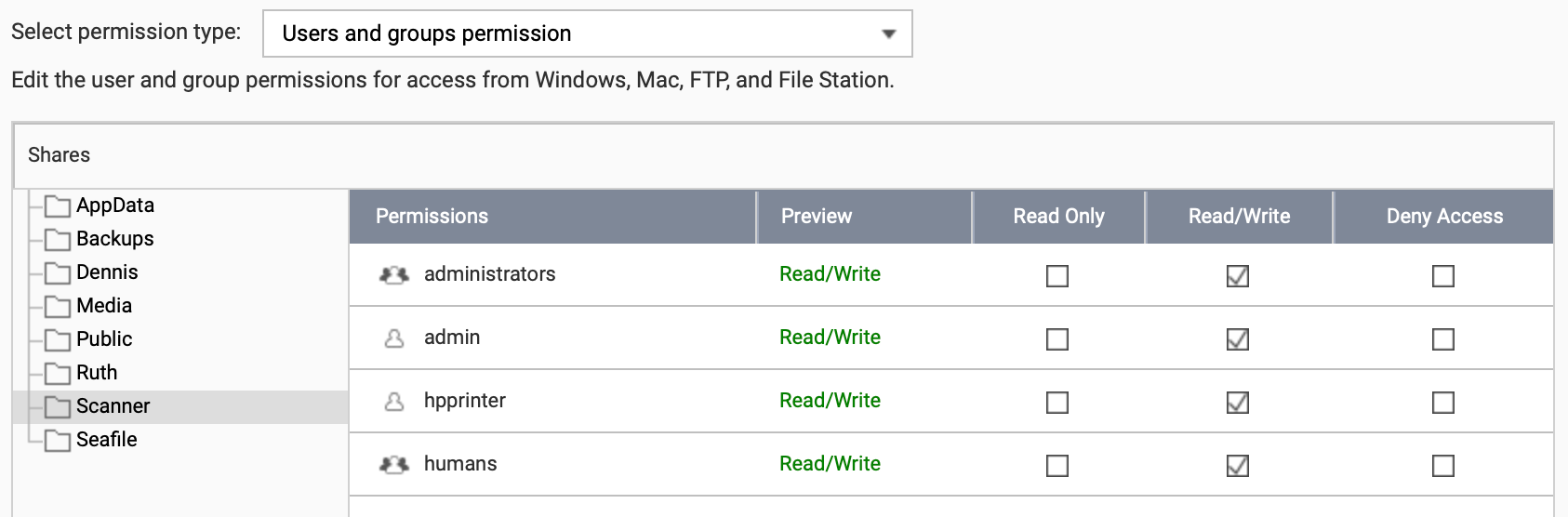
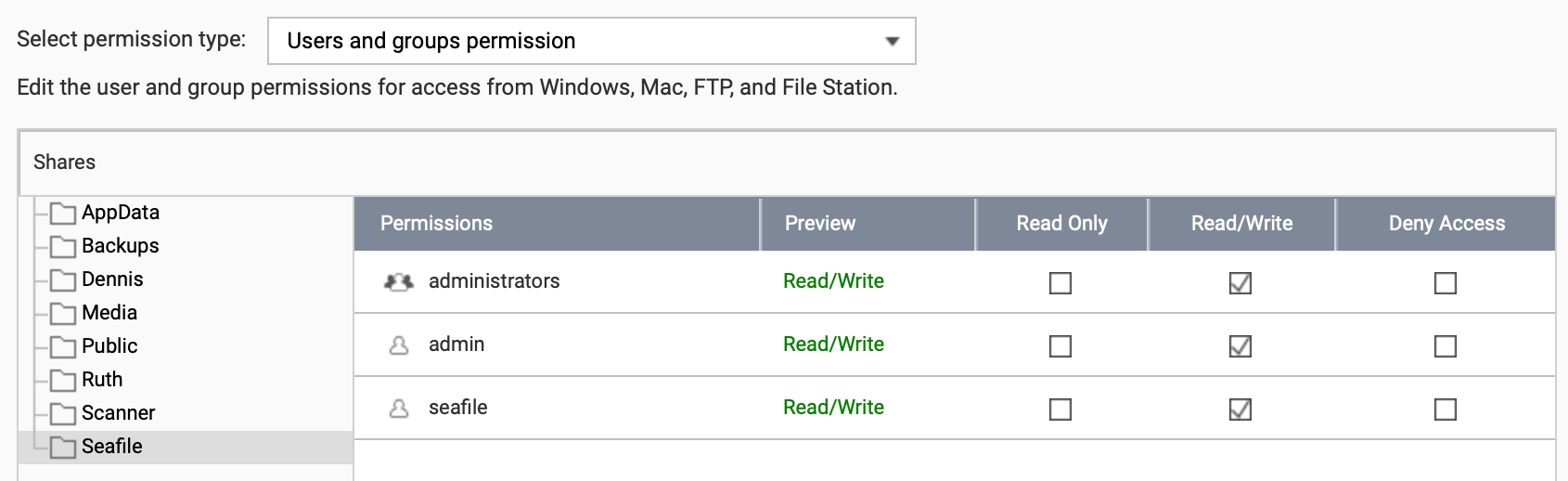
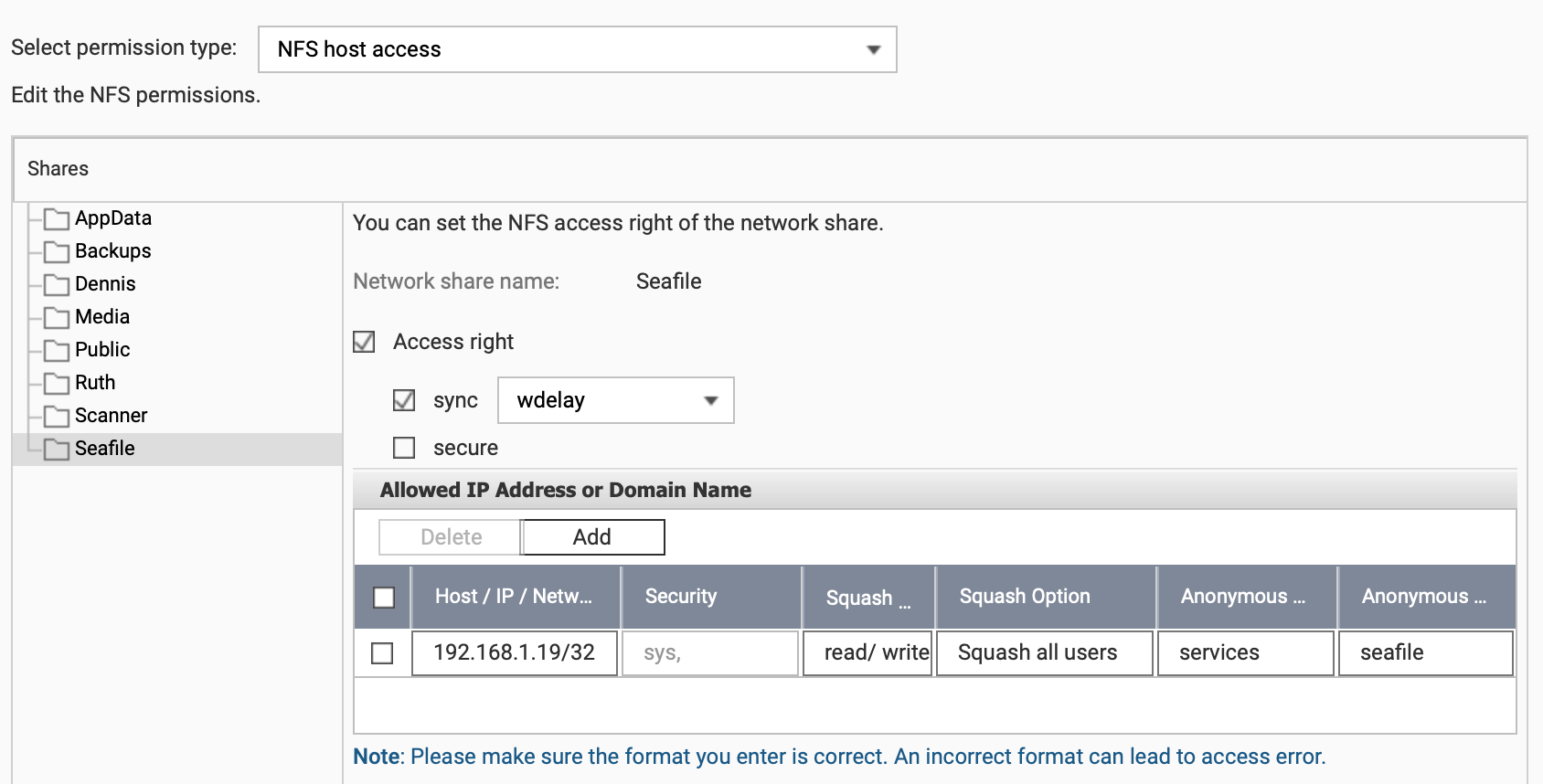
The following configurations are done for the shares:
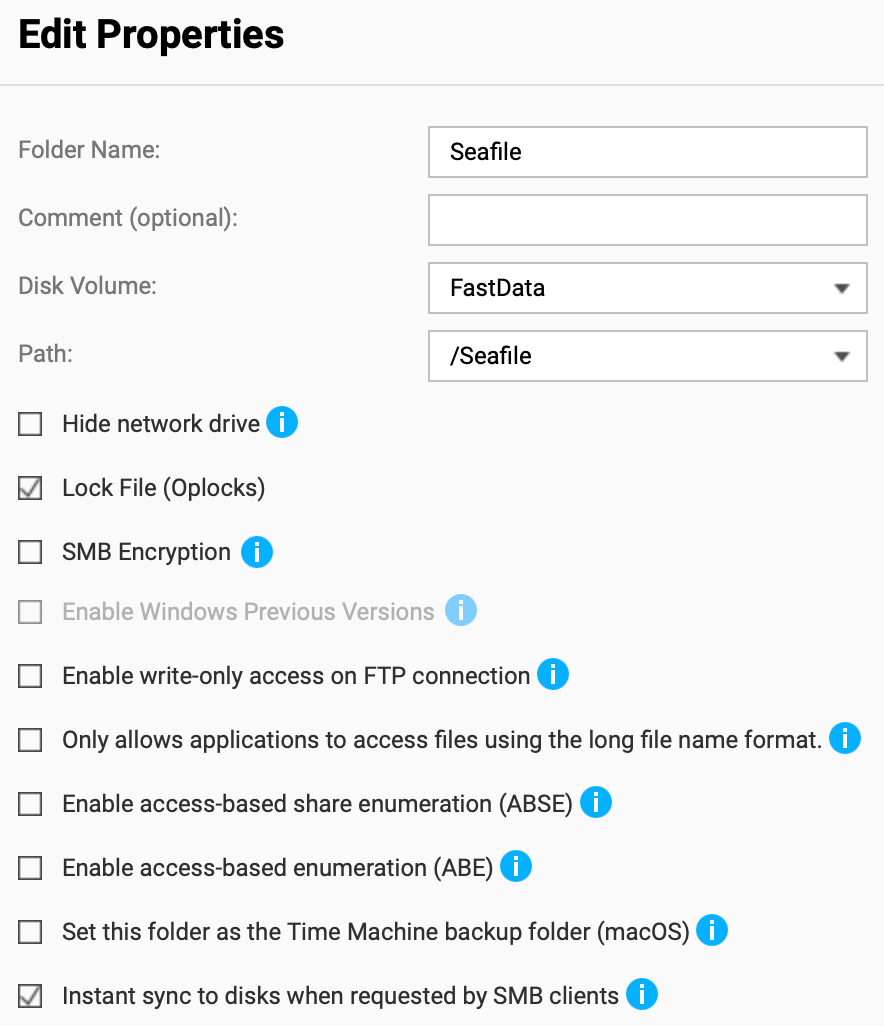
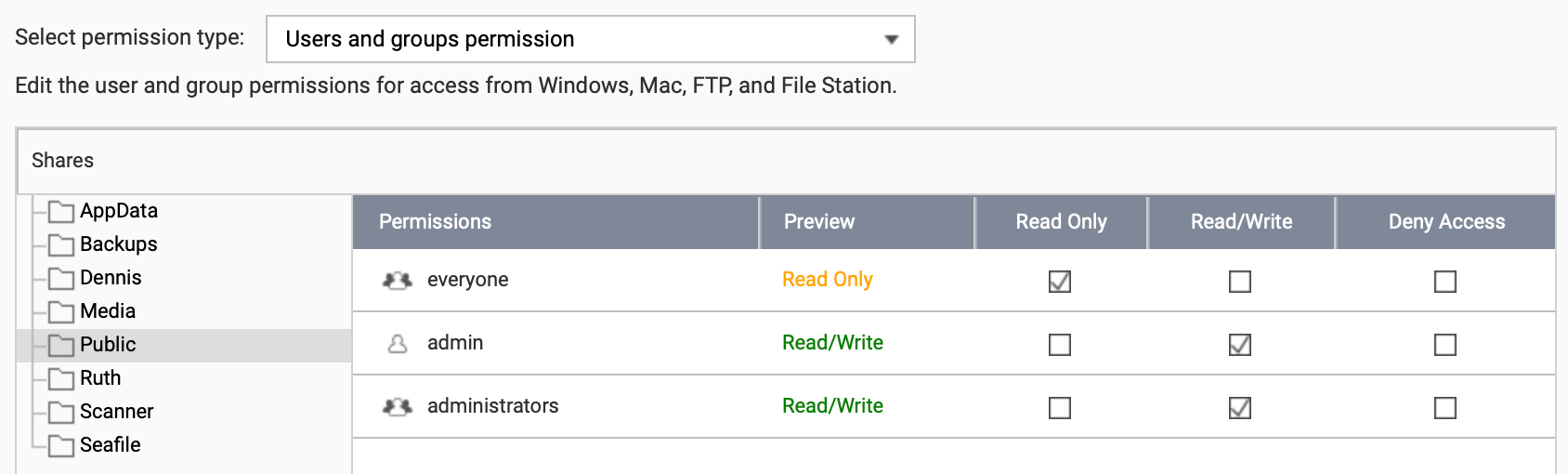
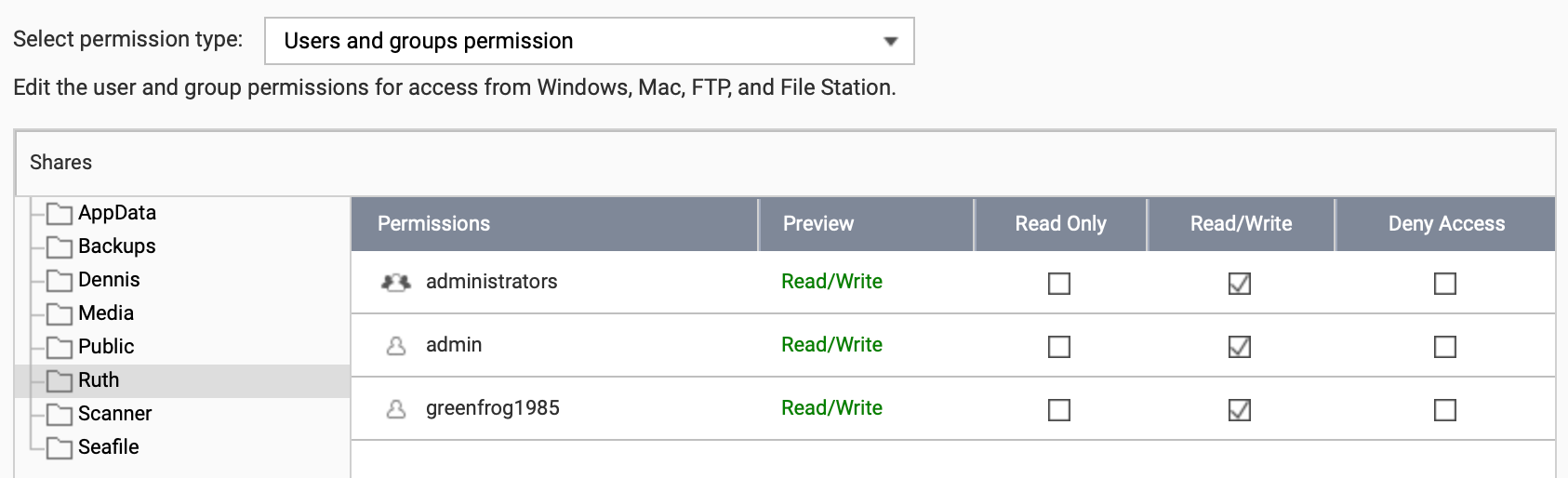
Share Permissions
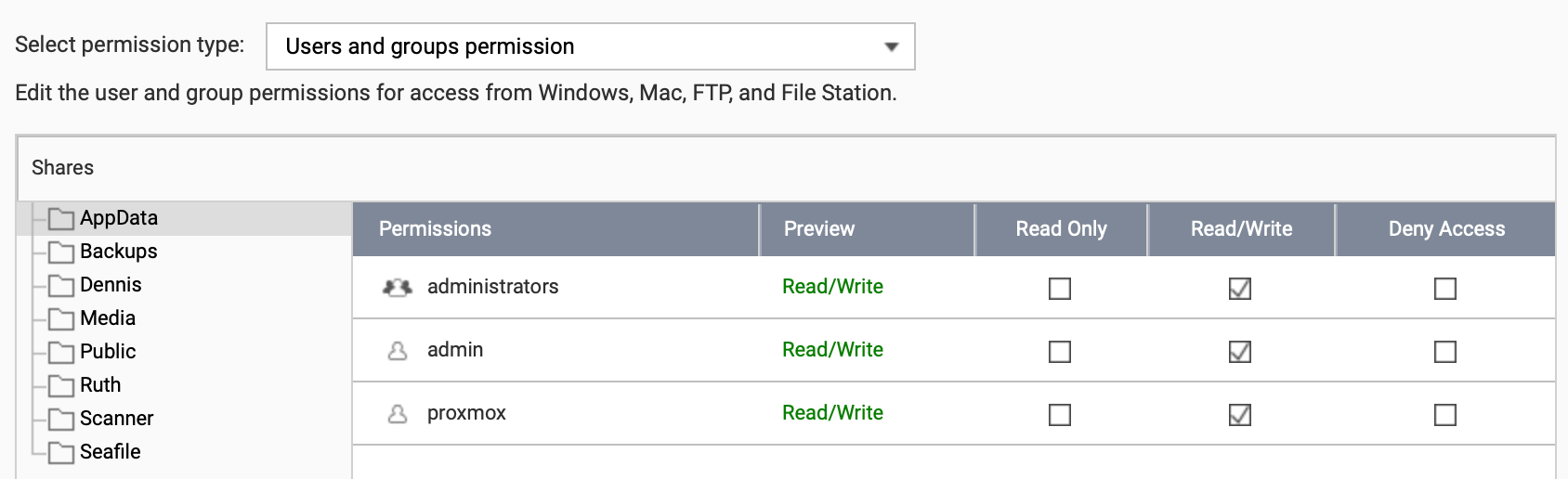
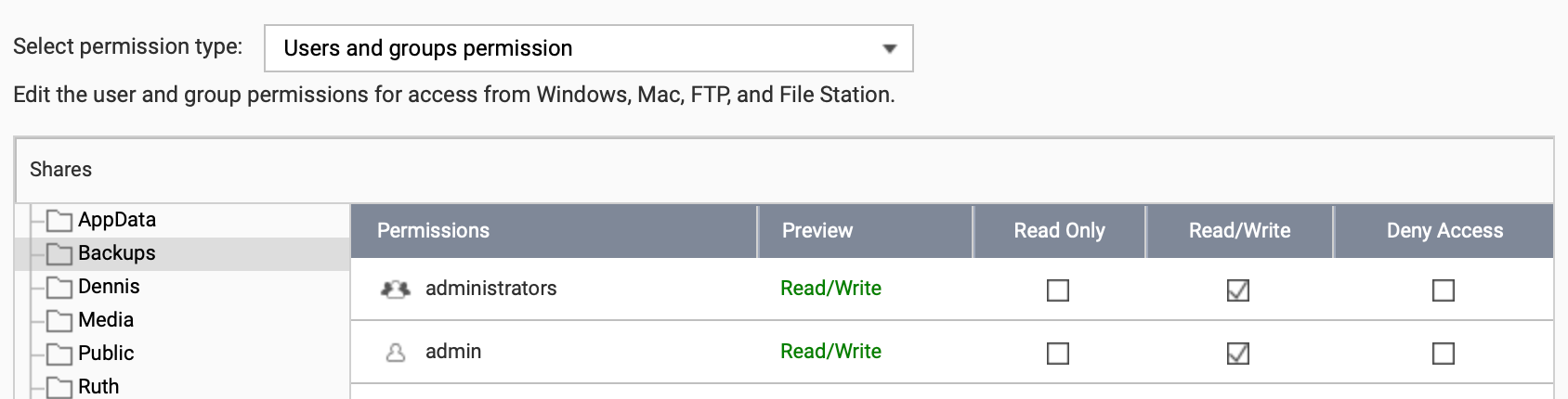
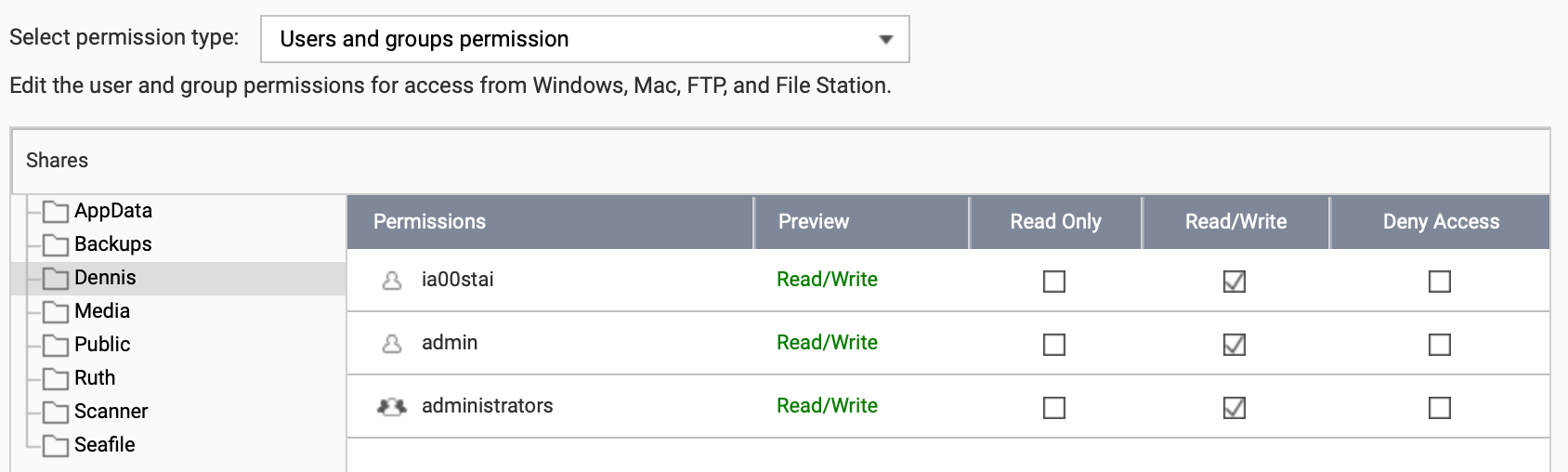
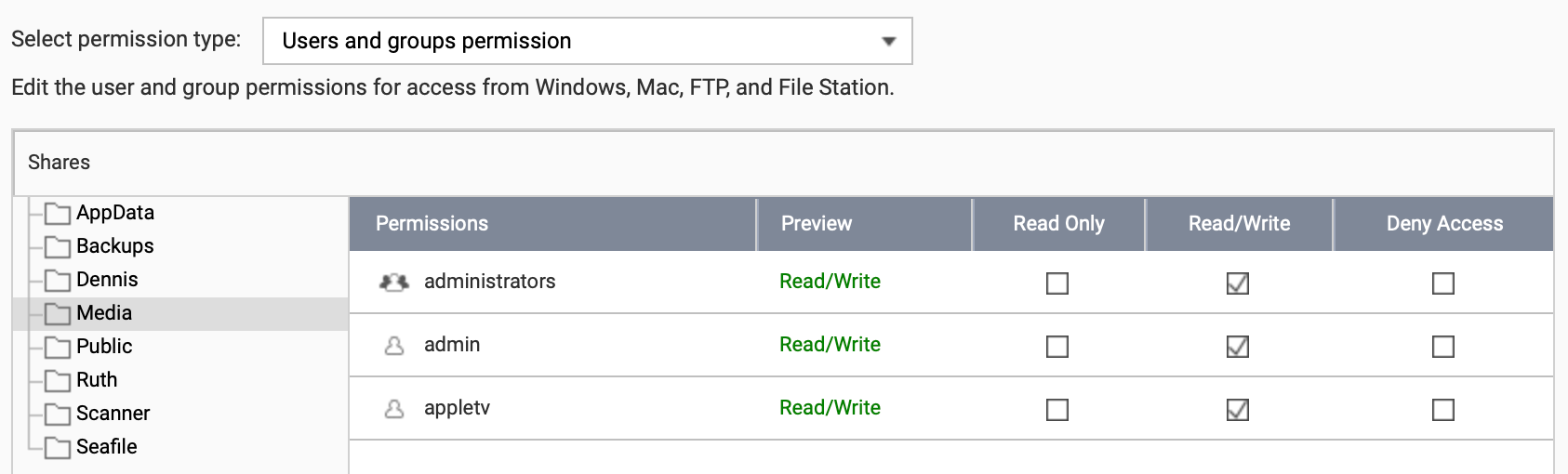
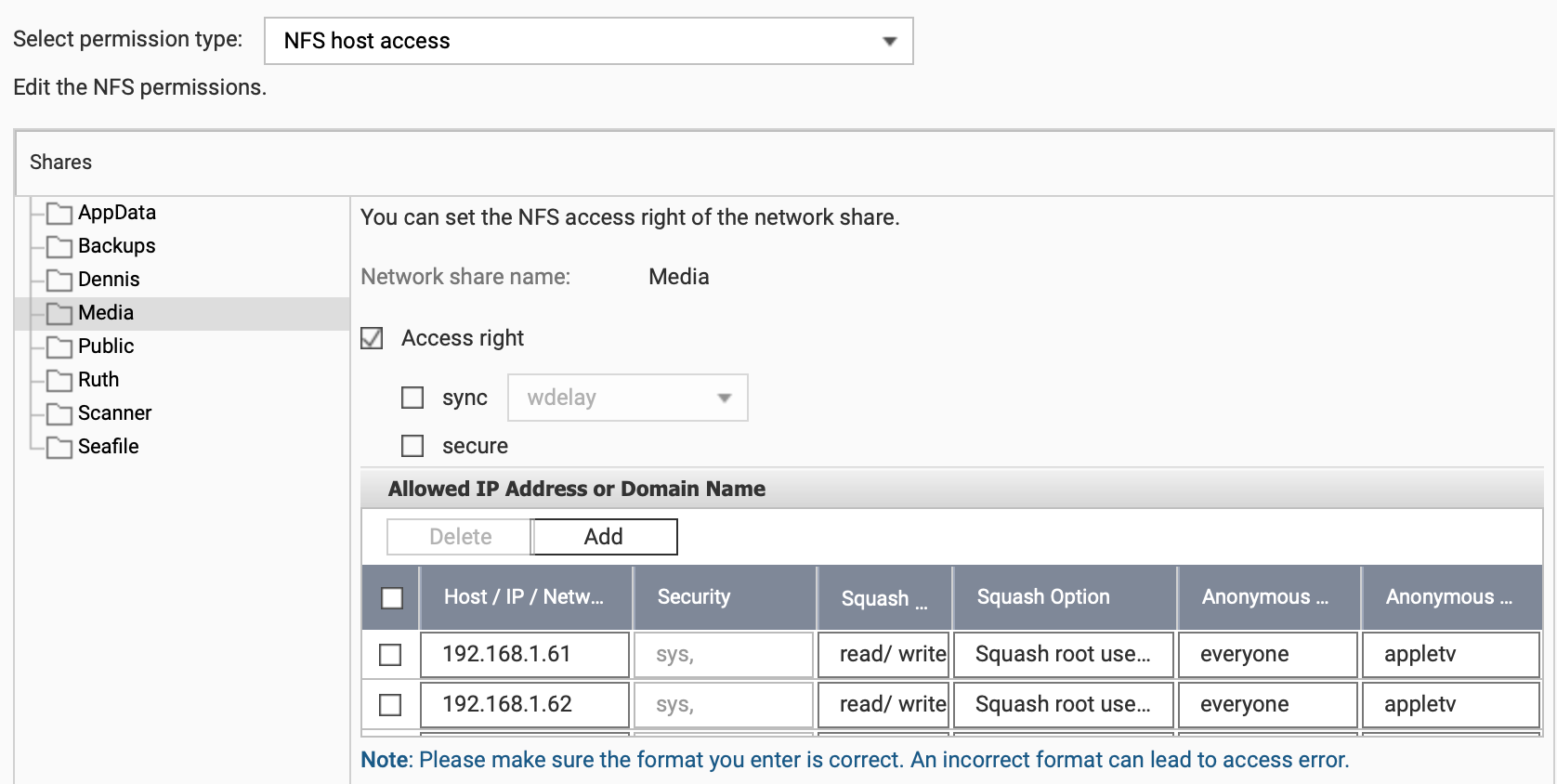
All three Proxmox hosts are listed even if you can only see two in the screenshot above.
Backups
See Backup Strategie